


LDCloud-Cloud Phone for Roblox
3.0168.00 Reviews
App Specs
- Version
- 3.9.0
- Updated On
- License
- Free
- Downloads
- 1,000,000+
- Developer
- HONGKONG LDCLOUD INTERNATIONAL CO. LIMITED
- Categories
- Tools
- Platform
- Android
Screenshots
 Analysis by AppCompare
I’d approach LDCloud as a way to use a remote phone for gaming, rather than as a simple performance switch for Roblox. That distinction matters: your own device is still part of the experience, but the game runs through a cloud session, so a reliable connection and comfortable controls count as much as the phone in your hand. I find that setup appealing for people whose local storage or hardware gets in the way, but it is not automatically the easiest option for every player.
Who benefits most from a cloud phone
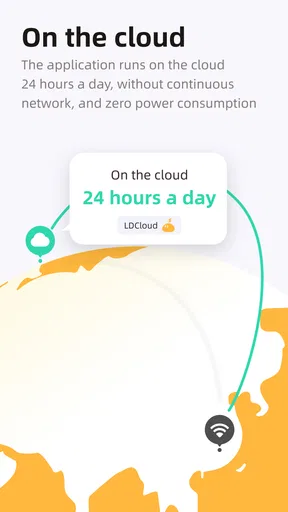
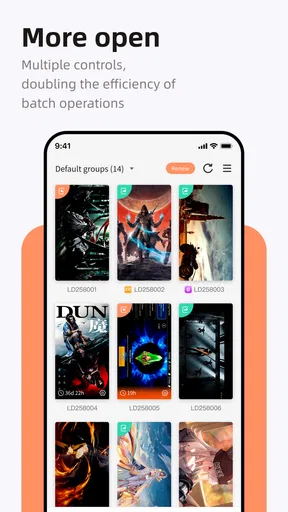
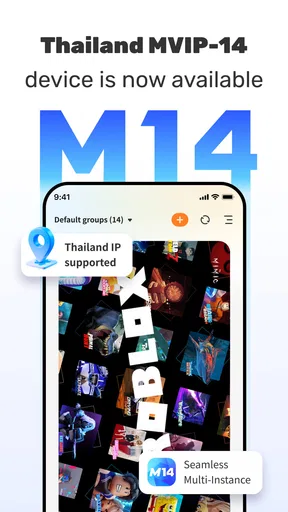
LDCloud-Cloud Phone for Roblox is a Tools app from HONGKONG LDCLOUD INTERNATIONAL CO. LIMITED. Its wider pitch is a 24/7 cloud emulator with multi-instance and AFK use for Roblox and other named games, including Fire Max, YMIR, and Ragnarok. That makes it more specific than a general remote desktop: the attraction is keeping a game session available in a cloud phone, not controlling a home computer from elsewhere.
The practical use case I find most convincing is a player whose everyday phone is short on free space or struggles when Roblox and other apps are open. Instead of replacing a device just to try a demanding game, they can test whether remote play suits their connection and routine. It can also help someone who wants separate game sessions, though multiple instances are a convenience, not a guarantee that every game or account workflow will behave as expected.
There is a trade-off behind that convenience. A cloud session shifts some of the workload away from the handset, but it also makes play depend on a steady internet connection and a responsive stream. If you mostly play in places with weak or inconsistent service, or you want the immediate feel of a game installed locally, a conventional Roblox app on a capable device is likely the better choice. Cloud access can ease hardware pressure; it cannot make an unreliable connection feel local.
Reading the interface and finding a comfortable route
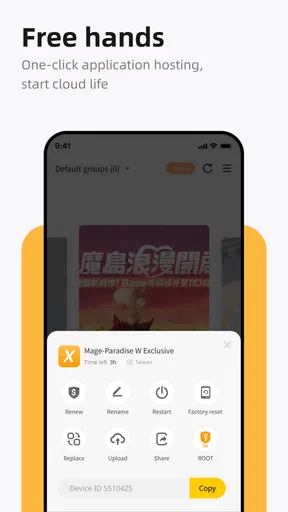
In my experience, the onboarding described for the app is approachable: install it, open the interface, and sign in to Roblox through the cloud phone. That straightforward path is useful for people who do not want to configure a remote computer or manage an emulator on their own. I would still take the first session slowly, checking that I understand which screen belongs to LDCloud and which belongs to Roblox before entering account details or changing settings.
For readability, the key question is not only whether buttons are visible, but whether the flow stays understandable when the app switches between its own controls and a streamed phone screen. Remote interfaces can involve more than one layer of navigation. If you have difficulty reading small text, try the setup in a calm place and make sure the device’s usual display adjustments remain comfortable. I would avoid assuming that the cloud phone automatically inherits every accessibility preference from the handset; check what is actually visible and usable in your session.
A useful habit is to test the full route before you rely on it: open the cloud session, reach Roblox, enter a low-pressure experience, then return to the app and confirm you can find the session controls again. That small rehearsal can reveal whether the navigation makes sense to you without the stress of a timed match or a busy game. It is especially worthwhile if you are helping a younger player or someone who is less confident with account sign-ins.
Worth Reading Before You Choose

EA SPORTS FC Mobile 26 Is a Bigger Football Game, but It Takes Time

Flipboard Shows What News Apps Must Do Beyond the Feed

Switching to Android Auto Means Rethinking Your Driving Routine

Google Calendar Makes a Crowded Week Easier to Manage

Ludo King Makes the Most of the Minutes Between Plans

Baby Panda World Brings Quick Play to Modern Phones, but Its Game Library Feels Busy
Motor, sensory, and shared-device considerations
Cloud play does not remove the physical demands of Roblox. You still need to interact with the game through your device, and streamed controls can feel different from a locally installed game. For players who rely on precise taps, quick repeated actions, or long sessions, I would judge comfort in a short trial rather than assume that smoother graphics will make the controls easier. A stable stream helps, but touch response still depends on the full connection between your device and the remote session.
Sound and motion can matter too. If you are sensitive to busy visuals, audio, or delayed feedback, try a familiar game first and keep the opening session brief. The ability to use a cloud phone may help someone whose handset cannot comfortably run Roblox, but it does not by itself establish that the experience has special accessibility options. I would treat comfort as personal and check the controls, text, and sensory load in the games you actually play.
For a shared family device, it is worth thinking through account boundaries before signing in. A cloud phone can be useful when a child’s usual handset is occupied, but convenience should not replace the adult’s normal checks around account access and in-game activity. I would also make sure the player knows how to leave the session and return to the app, rather than handing over a screen without explaining which account is active.
When the usual alternatives make more sense
Compared with installing Roblox directly, LDCloud adds a remote layer. That can be a sensible workaround when local hardware is the main obstacle, while a local installation is generally the simpler route when the device already runs the game well and you want fewer connection variables. Compared with running an emulator yourself, a cloud phone may reduce local setup and resource demands, but you give up some direct control over the underlying device and depend more heavily on the service and your network.
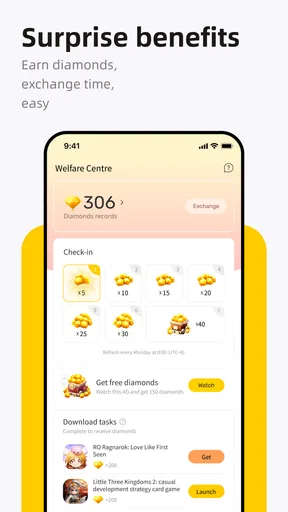
The app is free to install, is rated for Everyone, and has an average rating of 2.9 from around 6,500 ratings. It has passed 1 million installs, but those figures should be read as context rather than proof that it will suit your particular phone, connection, or access needs. In-app purchases range from $0.99 to $349.99 per item, so I would inspect the purchase choices carefully before spending, especially if you only want to test basic cloud play.
Limits worth checking before settling in
LDCloud’s version 3.7.4 supports Android 5.1 and newer, and the app was released on September 6, 2022. Those details help with basic compatibility, but they do not tell you how a particular device will handle a streamed session today. I would check that the app opens reliably on your handset, then try it on the connection you actually expect to use rather than judging it only on strong home Wi-Fi.
One non-obvious trade-off with multi-instance play is attention. Having more than one session available may suit someone who manages separate accounts, but it can also make it easier to lose track of which instance is active. Give each session a clear purpose, and close the ones you are not using. This is a simple way to avoid confusing account actions and to keep your play routine manageable.
For AFK use, think about whether leaving a cloud session running genuinely fits your needs before treating it as a set-and-forget feature. A persistent session can be convenient, but it is not the same as unlimited battery-free access to the service: you still need to consider your connection, account, and any in-app costs. If your goal is simply a short Roblox session during a break, opening the local game may be less effort.
What is LDCloud-Cloud Phone for Roblox?
Alright, let’s set the scene. Imagine a world where you can access your favorite Roblox games without having to worry about your device’s storage or processing power. That’s basically what LDCloud-Cloud Phone for Roblox promises. It’s like having a virtual phone in the cloud, allowing you to run Roblox smoothly without the usual hiccups of lag and crashes. Sounds dreamy, right?
Setting Up and Getting Started
First things first, getting started with LDCloud is a breeze. You’ll need to download the app, which is available for both Android and iOS. The installation process is straightforward, and once you’re in, you’ll find a neat interface waiting for you. It’s pretty user-friendly, even if you’re not super tech-savvy.
Once you’ve got it set up, you log into your Roblox account through the cloud phone interface. That’s when the magic happens. Your games load up as if you’re playing on a high-end device, even if your actual phone is a bit of a dinosaur. The cloud does all the heavy lifting, and you get to enjoy the fruits.
Performance and User Experience
This is where LDCloud really shines. It’s designed to optimize gaming performance, and from my experience, it delivers. I didn’t encounter any major lags or stutters. The graphics were crisp, the gameplay was smooth, and the controls were responsive. It’s like your device gets a supercharged boost.
One thing to note, though, is that your internet connection plays a huge role here. A stable and fast Wi-Fi connection is your best friend. Without it, you might face some connectivity issues. But hey, that’s the trade-off for cloud gaming!
Features That Stand Out
LDCloud-Cloud Phone for Roblox packs a bunch of features that make it stand out. You can customize your virtual phone settings, which is a nice touch. Also, it supports multi-instance gaming. That means you can run multiple Roblox accounts simultaneously, which is perfect if you’re managing different characters or just like to have options.
Another cool feature is the app’s ability to save your game progress in the cloud. So, even if you switch devices, you can pick up right where you left off. It’s like having a cloud save system built right into your gaming experience.
Who’s It For?
This app is ideal for avid Roblox players who want a seamless gaming experience without upgrading their hardware. It’s also great for those who love to game on the go but don’t want to compromise on quality. If you’re into competitive play, the smooth performance and reduced lag can give you that extra edge.
Final Thoughts
All in all, LDCloud-Cloud Phone for Roblox is a game-changer—literally and figuratively. It opens up a new realm of possibilities for gamers who might be restricted by their device’s capabilities. The app’s ability to transform your gaming experience is pretty impressive, and it’s worth checking out if you’re a Roblox fan.
Remember, the key to enjoying this app is a good internet connection. If you’ve got that, you’re in for a treat. So, why not give it a whirl? You might just find your new favorite way to play Roblox. Happy gaming!
My inclusive verdict
I would recommend trying LDCloud when the problem you are solving is specific: your phone struggles with Roblox, you want to explore a cloud-hosted session, or you have a reason to keep separate instances available. The free download makes a cautious test possible, but the range of optional purchases is a reason to decide on a spending limit before exploring them. I would not choose it just because “cloud” sounds more powerful; if Roblox already works comfortably on your device, the direct app is usually the simpler path.
For players with different access needs, the best decision comes from testing the whole experience, not just the game’s appearance. Can you read the interface, reach the session you want, control the game at a comfortable pace, and recover easily if the connection falters? If the answer is yes on your usual network and device, LDCloud may make Roblox more practical. If one of those steps creates friction, a local installation or another familiar way to play is a reasonable alternative. My view is that it is worth a careful trial for the right situation, but not a universal replacement for playing locally.
Pros
- Seamless integration with Roblox games.
- Low latency for smooth gameplay.
- User-friendly interface for easy navigation.
- Supports multiple device connections.
- Efficient cloud storage management.
Cons
- Requires stable internet for optimal use.
- Limited offline functionality.
- Subscription required for premium features.
- Occasional server connection issues.
- High data usage on mobile networks.
FAQs for LDCloud-Cloud Phone for Roblox
What is LDCloud-Cloud Phone for Roblox?
LDCloud-Cloud Phone for Roblox is a cloud-based application that allows users to play Roblox on a virtual Android device hosted on the cloud. This app provides the flexibility to access Roblox games without relying on your own device's hardware capabilities, ensuring smoother gameplay and enhanced performance.
How does LDCloud-Cloud Phone enhance the Roblox gaming experience?
By utilizing cloud technology, LDCloud-Cloud Phone provides a stable and high-performance environment for playing Roblox. It eliminates common issues like lag and overheating that occur on older or less powerful devices. This results in smoother gameplay and allows users to enjoy Roblox on virtually any device with internet access.
Is LDCloud-Cloud Phone safe to use for Roblox gaming?
Safety is a priority for LDCloud-Cloud Phone, which employs robust security measures to protect user data. The app ensures that your account and personal information remain confidential. However, users should always practice online safety, such as using secure passwords and enabling two-factor authentication on their Roblox accounts.
What are the system requirements for using LDCloud-Cloud Phone?
One of the key advantages of LDCloud-Cloud Phone is its minimal system requirements. Users need a stable internet connection and a device capable of running Android apps. The cloud infrastructure handles the heavy lifting, making it accessible even on low-end devices or older smartphones.
Are there any subscription fees for LDCloud-Cloud Phone?
LDCloud-Cloud Phone offers different pricing tiers, including free and premium subscription plans. The free version provides basic features, while the premium plan offers enhanced capabilities such as priority access, higher performance, and additional storage. Users can choose a plan based on their gaming needs and budget.


